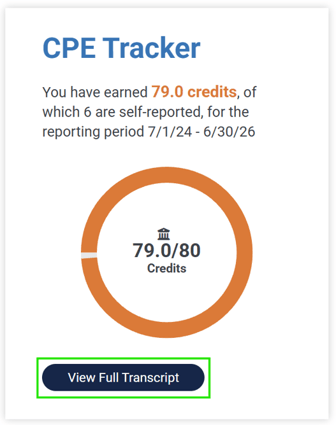
To access the FICPA CPE Tracker main page:
- Log in to your FICPA account
- Navigate to the CPE Tracker section and click the blue “View Full Transcript” button
To download a certificate of attendance for an individual course:
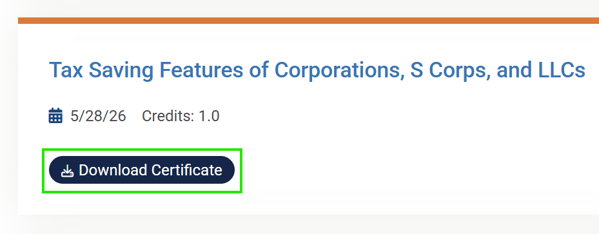
- Navigate to the CPE Tracker main page
- Scroll down until you see the title of the course you want to download the certificate of attendance for
- Click the blue “Download Certificate” button
This will download a signed copy of the certificate of attendance, which can be submitted to the DBPR, for the selected course to your computer.
The FICPA CPE Tracker has two downloads depending on whether you want to include any non-FICPA courses you have entered.
If you include only FICPA courses, it will generate a signed CPE Transcript, which can be submitted directly to the DBPR. If you include non-FICPA sponsored courses, it will generate a CPE Comprehensive Report, which cannot be submitted to the DBPR.
To download your CPE Transcript (can be submitted to the DBPR):
- Navigate to the CPE Tracker main page
- Select the “Start Date” and “End Date” for your reporting period
- Click the white “Download Transcript” button
This will download a signed copy of your CPE Transcript, which can be submitted to the DBPR, to your computer.

To pull your CPE Comprehensive Report (cannot be submitted to the DBPR):
- Navigate to the CPE Tracker main page
- Select the “Start Date” and “End Date” for your reporting period
- Check the box that says Include Non-FICPA Sponsored courses
- Click the white “CPE Comprehensive Report” button
This will download your CPE Comprehensive Report, which cannot be submitted to the DBPR, to your computer.

If you need further assistance with accessing your Certificates of Attendance or CPE Transcript, please contact Member Services:
📧 Email: msc@ficpa.org
📞 Phone: 800-342-3197 or 850-224-2727 x1
🕒 Hours: Monday – Thursday, 8 a.m. to 5 p.m.; Friday, 8 a.m. to 12 p.m.